Software for lawyers · Windows and Mac
Download an entire JustOnWeb case file, in one click. And combine the documents into a single PDF.
greffo automates what you already do by hand, document by document: each one lands on your computer in the exact tree of the registry. The content passes through no server.
€49 excl. VAT per month for one seat · no commitment · 14-day trial without a bank card
€49€34excl. VAT per month for one seat
Launch offer for every subscription taken out by 31 December 2026, guaranteed for as long as the subscription continues · no commitment · 14-day trial without a bank card
The task
An hour of clicking, or one click
Hundreds of clicks become one click.
Retrieving the documents of a judicial case file on JustOnWeb is done one document at a time: open the folder, open the document, save it, file it in the right directory. On a thirty-document case file, count an hour. That work cannot be billed.
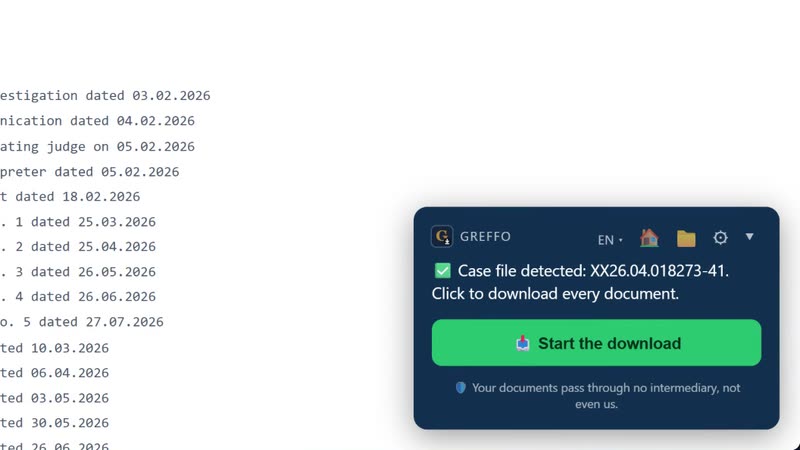
greffo performs exactly the same task, in your place: it walks through the case file, saves every document as a PDF and rebuilds the registry tree on your disk. Nothing more.
On video
Four short demo videos
The real greffo interface, on a fictitious case file.
-
 0:38
01 · 0:38
Exporting a case file
The whole case file on your disk, organised as at the registry.
0:38
01 · 0:38
Exporting a case file
The whole case file on your disk, organised as at the registry.
-
 0:50
02 · 0:50
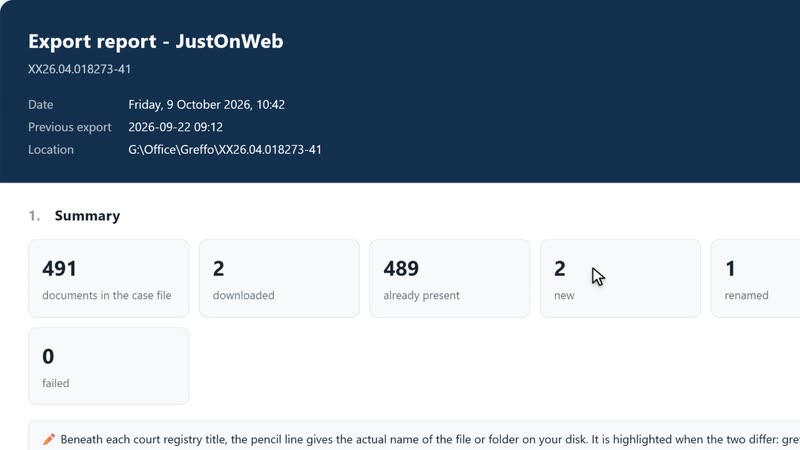
Keeping a case file up to date
What changed at the registry, and nothing else.
0:50
02 · 0:50
Keeping a case file up to date
What changed at the registry, and nothing else.
-
 0:48
03 · 0:48
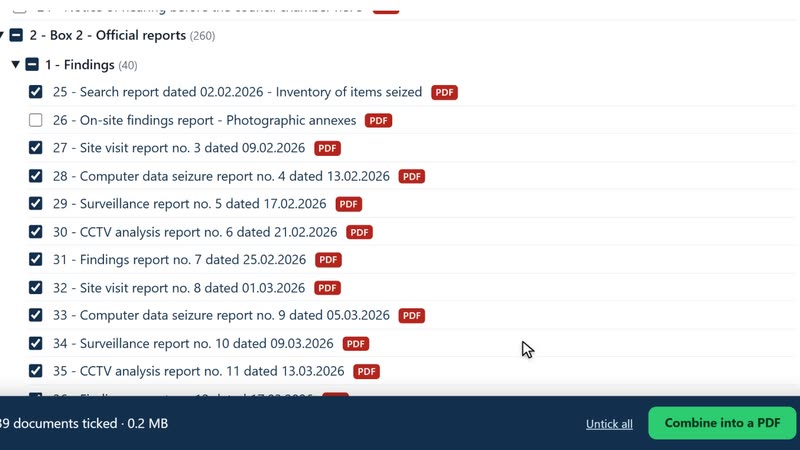
Search and combine documents
Find a document, combine several into a single PDF for printing.
0:48
03 · 0:48
Search and combine documents
Find a document, combine several into a single PDF for printing.
-
 0:47
04 · 0:47
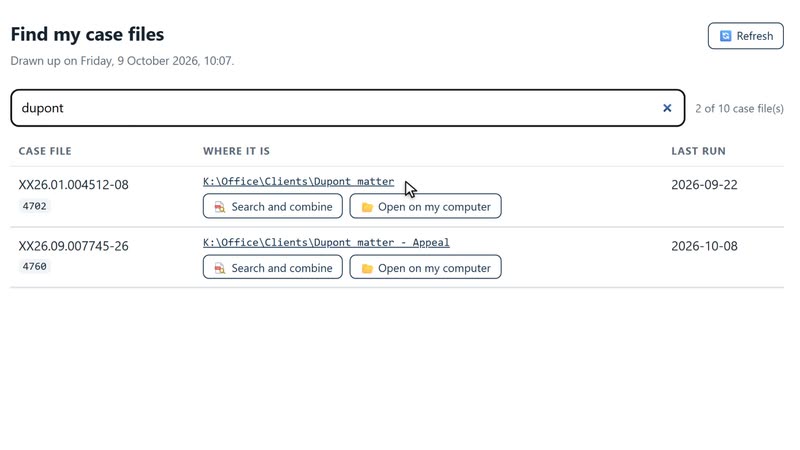
Find my case files
Where each case file is stored, even moved or renamed.
0:47
04 · 0:47
Find my case files
Where each case file is stored, even moved or renamed.
How it works
Three steps to download your case file
Sign in
greffo opens JustOnWeb in its own window. You sign in with itsme®, as usual: your credentials stay between you and the portal.
Open your case file
As soon as the list of documents appears, the greffo panel shows a green button.
Click to download everything
Every document is saved as a PDF, in its place, under its registry label. A report then states what was done.
What greffo does
Six features that do the essentials
The whole case file in one click
Folders, subfolders, numbering: the exact tree of the registry, rebuilt on your disk.
Ready for OneDrive and the others
Dropbox, Google Drive, iCloud: file names that synchronisation and Acrobat accept.
Every PDF checked
A corrupted file is rejected and reported, never filed in silence.
Nothing else to install
The export browser is built into the software.
Search and combine
The full titles, search as you type, and the documents you choose in a single PDF.
Privacy
What stays with you
The content of the documents passes through no server: the export goes from the portal to your disk, locally. greffo transmits no document, no case number, no label, and there is no record of your activity.
greffo sends our servers only what concerns your licence: your name, your email address, your language and a hashed identifier of your computer, with its operating system (Windows or macOS).
Our guarantee
- No document, none, on a server
- No case number, no document label
- No record of the days you work
- You sign in yourself: greffo does not have your credentials
Pricing
What it costs
€49 excl. VAT per month for the first seat, degressive after.
€49 excl. VAT per month for the first seat, degressive after
€34 excl. VAT per month for as long as the subscription continues, for every subscription taken out by 31 December 2026 −€15/month
- One Windows PC or one Mac per seat
- Updates included, applied automatically
- Email support included
- 100% local: no document on our servers
Prices excl. VAT. Yearly, two months are free, and there is no "on quote": a firm with ten seats reads its price on the page.
Where it comes from
Built with a lawyer, for lawyers
greffo was developed with a practising lawyer, on his own case files, to remove hours of clicking and focus on the essential.
Frequently asked questions
The three important questions
What leaves my computer?
Your name, your email address, your language and a hashed identifier of your computer, with its operating system: what concerns your licence, nothing else. No document, no case number, no label leaves your machine.
What happens at the end of the trial?
greffo refuses new exports, nothing more. The PDFs already exported are on your disk and can be read without greffo. To carry on, open "💳 My subscription" in the ⚙ menu, choose your subscription, and that is it!
How do I cancel?
Online, at any time, from the software: ⚙ menu, then "💳 My subscription". The licence stays active until the end of the paid period.
The next case file can export itself in one click.
Download greffo and open the trial: fourteen days, no bank card.